Hot Keywords:
- All
- Product Name
- Product Keyword
- Product Model
- Product Summary
- Product Description
- Multi Field Search
Please Choose Your Language


Views: 222 Author: Ella Publish Time: 2025-07-20 Origin: Site


Content Menu
● Key Factors When Choosing a Laptop Keyboard
>> Noise Level
>> Backlighting
>> Mechanical vs. Membrane Keyboards
>> Wireless or Wired Connection
● Ergonomic Considerations for Laptop Keyboards
>> Correct Posture and Keyboard Placement
● Additional Features to Enhance Typing Comfort
● Recommended Laptop Keyboards from OEM Manufacturers in China
● FAQ
>> 1. What key features make a laptop keyboard comfortable for typing?
>> 2. How important is key travel in a laptop keyboard?
>> 3. Are mechanical laptop keyboards better for typing comfort?
>> 4. Can keyboard posture reduce discomfort while typing?
>> 5. What customization options exist for laptop keyboards?
Choosing the best laptop keyboard for typing comfort is crucial for productivity, especially for those who spend extended hours working on their devices. Whether you are a professional, a student, or a gamer, the right keyboard can drastically improve your typing experience, reduce strain, and enhance accuracy. This article explores key factors to consider, ergonomic tips, and recommended keyboard features to help you select a laptop keyboard designed for maximum comfort and efficiency.
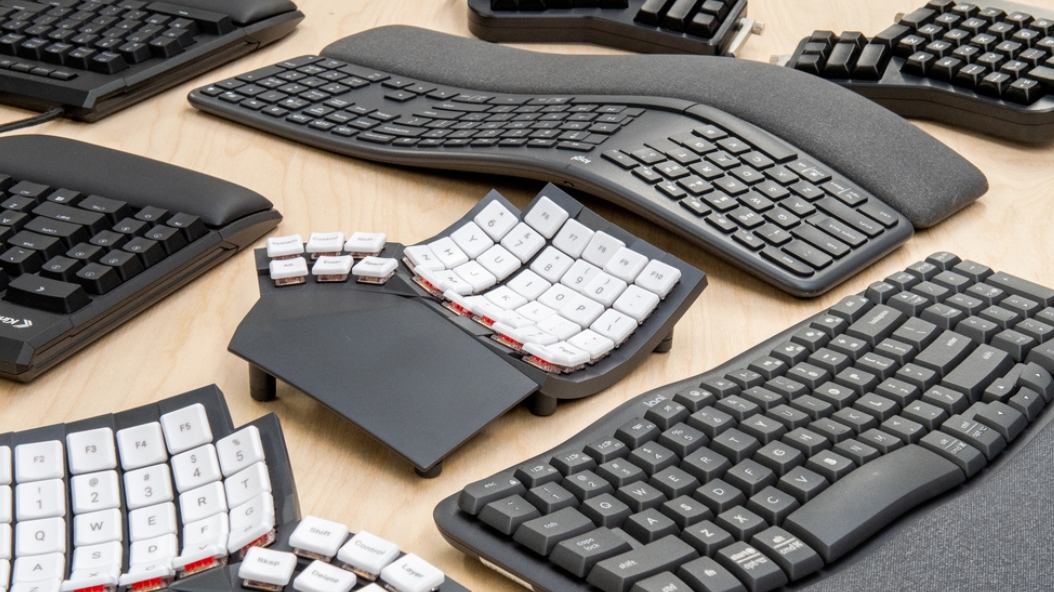
The layout and size of keys directly influence typing comfort. Full-sized keys with proper spacing reduce the chance of mis-typing and provide a natural hand posture. A keyboard with well-separated keys lets your fingers find the correct key without forcing unnatural hand positions. Compact keyboards save space but may feel cramped and less comfortable for long typing sessions, especially for people with larger hands or those accustomed to traditional desktop-sized keyboards.
Some laptop keyboards feature numeric keypads on the right side, which can be very useful for users frequently working with spreadsheets or numbers. However, these larger layouts can add to the overall size of the laptop, which might be less portable. It's essential to assess what layout fits your work style best.
Key travel refers to the distance a key moves when pressed. A moderate travel distance offers satisfying tactile feedback without excessive force, allowing for faster, more accurate typing. Keyboards with shallow travel may feel less responsive, while very deep travel can cause fatigue, especially during long typing sessions.
Different users have different preferences for key travel. Writers or programmers might prefer longer travel for deliberate typing, while casual users may favor shorter travel for quicker key response. Laptop keyboards have traditionally been praised or criticized for their short key travel, but advances in keyboard technology are improving this aspect in modern laptop designs.
Key dish describes the curvature of the key surface. Keys with a gentle concave shape conform better to fingertips, enhancing grip and reducing finger slippage during typing, thus improving comfort and precision. This shape helps steady finger placement, especially during fast or blind touch typing.
In addition to the dish shape, the texture of keycaps can affect finger comfort. Matte or slightly textured finishes prevent fingers from slipping, which contributes to consistent typing speed and reduces accidental key presses.
Typing noise can impact concentration and your working environment. Quieter keyboards help maintain focus and avoid disturbing others, especially in shared or open office spaces. Many modern laptop keyboards balance softness of keystrokes with minimal noise to provide a peaceful typing experience.
For example, laptop keyboards with scissor-switch technology often produce a quieter sound than traditional mechanical switches, making them ideal for libraries or coworking environments. Some users might prefer the auditory feedback of mechanical keyboards, but in professional settings, quieter keyboards are typically favored.
If you often work in dim environments, backlit keyboards improve visibility. Adjustable brightness and color options also enhance the aesthetic and usability without straining your eyes. Backlighting helps prevent eye strain by making keys visible under all lighting conditions, which can aid accuracy and reduce typing fatigue.
Many backlit laptop keyboards also feature customizable lighting effects or zones, which can support better key recognition for specialized tasks such as gaming, programming, or creative work.
Mechanical keyboards, often used in laptops designed for heavy typing or gaming, provide individual mechanical switches under each key. They offer superior tactile feedback, longevity, and customization but can be noisier and thicker. Membrane keyboards are quieter, slimmer, and more common in general-use laptops, though with less precise feedback.
The choice between mechanical and membrane keyboards depends on your priorities: if you desire longevity and precision, mechanical might be the answer; if you prefer slim design and quiet keystrokes, membrane keyboards are ideal.
Most laptops come with built-in keyboards, but using external keyboards can be necessary for comfort, especially in desktop setups or for gamers. External keyboards can be wired or wireless. Wireless keyboards offer freedom of movement and less cable clutter, essential for mobile workstations. For gaming or high-precision tasks, wired keyboards may provide better latency and connection stability.
When choosing external keyboards, compatibility with your laptop's operating system and USB or Bluetooth standards is important to ensure hassle-free connectivity.
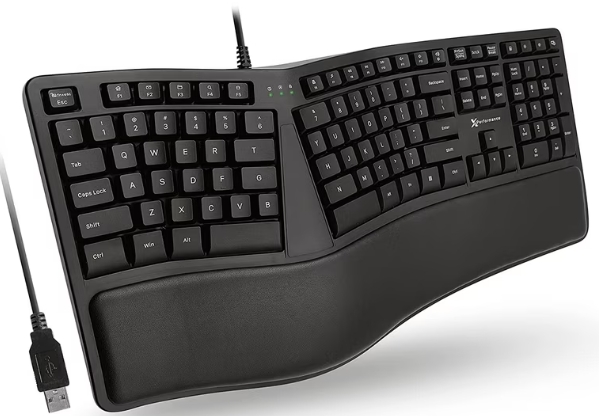
Maintaining neutral wrists and proper keyboard positioning is critical to reduce discomfort and prevent repetitive strain injury (RSI). The keyboard should be positioned slightly below elbow height, on a flat surface sloping gently away from you while wrists remain straight and relaxed. Avoid bending your wrists upwards or downwards, which can cause stress over time.
Using an adjustable desk or keyboard tray can help achieve the ideal height and angle, promoting better posture and reducing neck, shoulder, and wrist fatigue. Frequent breaks, hand stretches, and exercises are also recommended to complement good ergonomic practices.
Using a wrist rest helps maintain neutral wrist positions by cushioning the area before the keyboard, reducing strain on the tendons. Wrist rests are especially useful for long typing sessions, allowing your wrists to be supported and reducing pressure on nerves that can cause carpal tunnel syndrome.
When using wrist rests, avoid resting your wrists directly on them while typing. Instead, rest your palms lightly when pausing to maintain good blood circulation.
Adjustable or split keyboards allow customization of angle and tenting, which can greatly improve comfort and reduce muscle fatigue for heavy typists. Split keyboards separate the left and right keys to better match hand placement, reducing ulnar deviation (sideways bend of the wrist).
Additionally, some ergonomic laptop keyboards include features like negative tilt angles and contoured key wells, which adapt typing angles to natural wrist alignment.
- Anti-Ghosting and N-Key Rollover: These features are useful for gamers and fast typists, ensuring multiple keys can be pressed simultaneously without errors or key-blocking.
- Programmable Keys: Custom shortcuts reduce repetitive movements and speed up workflow. Users can assign macros or specific functions to keys for personalized efficiency.
- Durability: High-quality materials and construction ensure longevity, which is important for workplaces requiring heavy use. Durable keycaps with abrasion-resistant finishes maintain legends and tactile feel over years of heavy typing.
- Aesthetic and Color Options: Availability of different keycap colors, finishes, and styles help personalize your laptop keyboard setup, creating an enjoyable and inspiring workspace.
As a China-based OEM factory specializing in the assembly and production of high-quality laptop keyboards, we offer a variety of keyboards designed to meet diverse typing needs—from professional office use to gaming enthusiasts. Our keyboards are rigorously tested for durability, tactile feedback, and ergonomic design to deliver seamless and comfortable typing experiences. We provide customizable options in layout, key travel, backlighting, and color to tailor keyboards for overseas brands, wholesalers, and producers.
Working with experienced manufacturers allows external brands to ensure their laptops feature keyboards optimized for comfort without compromising style or performance. The customization capabilities extend to mechanical switch types, keycap materials, and backlighting schemes, making it possible to create truly unique and comfortable keyboards to suit targeted user markets.
Our team continuously innovates keyboard technology, focusing on satisfying the global demand for heavier typing workloads, mobile office scenarios, and even artistic and programming environments. Choosing a reliable OEM partner in China not only guarantees quality, but also flexibility in design and competitive pricing—beneficial for brands and consumers alike.
Selecting the best laptop keyboard for typing comfort involves balancing factors like key travel, layout, ergonomic design, and tactile feedback. Paying close attention to ergonomic positioning and wrist support significantly enhances comfort and prevents injury. For businesses and consumers looking for reliable, high-quality laptop keyboards, partnering with experienced factories offering OEM customization from China ensures a product that meets rigorous standards of durability and comfort. Investing time in choosing the right keyboard will pay off in improved productivity and enjoyable typing sessions.
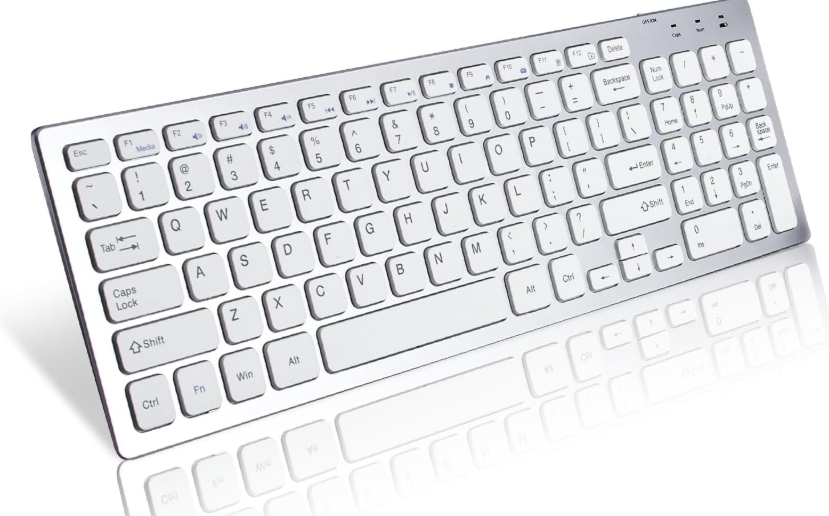
Comfortable laptop keyboards typically have a moderate key travel distance, concave key dish shape, quiet keystrokes, and an ergonomic layout that promotes a neutral wrist position.
Key travel affects tactile feedback and typing speed. Too little travel can cause mistypes; too much travel can cause finger fatigue. A balanced travel distance is essential for comfort.
Mechanical keyboards offer superior tactile feedback and durability but can be louder. They suit users prioritizing typing precision and longevity, especially gamers and professionals.
Yes. Proper posture with wrists parallel to the keyboard, keyboard placed near elbow height, and use of wrist rests can reduce strain and prevent repetitive injury.
Many OEM keyboard manufacturers offer options for keycap color, backlighting, programmable keys, and ergonomic designs like split keyboards, catering to different user preferences and tasks.


